
The Sunday engagement playbook · 6 minute read
Make your Preachly page a habit, not another link.
Five practical ways to help your congregation know where to go, find immediate value, and take a next step while the moment still matters.
Give people one place to go.
Don’t make your Preachly page another link. Make it the link.
During your service, send people to the same place every time. Your custom Preachly URL makes this easy: yourchurch.thisweek.church. Some churches also use a familiar address on their own website and forward it to their Preachly page—for example, yourchurch.org/today.
Your website can—and still should—hold every ministry page, sermon archive, and detailed resource. Your Preachly page is the digital destination for Sunday: the obvious place to begin. People who want to go deeper will.
Give people a reason to use it.
Give them a tool, not another task.
“Visit our digital bulletin” sounds like another announcement. So does “If you want to learn more, go find the events page on our website.” Both put work on the person in the room. When every prompt feels like an ask, even a small next step can feel like a chore.
Lead with immediate value instead: today’s scripture, a place to take notes, the teaching slides, worship songs, or something worth saving. That is how people begin to see their church’s Preachly page as useful—not as one more thing the church wants them to do.
Say it out loud.
Signs create awareness. People create action.
People become numb to signs, slides, and QR codes they see week after week. Those reminders still help, but people are far more likely to act when a real person clearly tells them what to do and why it will help.
Whenever someone leading the service asks people to respond, participate, follow along, or find something, verbally point them to your Preachly page. The exact person does not matter—use the voice and moment that feel natural in your church culture.
Only show what matters right now.
Don’t show people everything. Make the next thing obvious.
Your Preachly page should not contain everything your church has ever created. Its job is to make the first step toward engagement incredibly easy. A useful filter is: Does someone need this today?
If someone wants to explore every ministry, read your doctrinal statement, or watch six months of sermons, your website already does that well. Your Preachly page should focus attention on the few things that matter this Sunday and this week.
Repeat it until it becomes a habit.
The real win is not a scan. It is a remembered behavior.
Use the same destination every week. Keep your Preachly page useful. Mention it consistently. Over time, people stop waiting for instructions. They simply know where to look when they are at church.
The easier it is to remember, the easier it is to engage. Consistency will usually do more for adoption than a clever new campaign every month.
Make the value clear
A small change in phrasing goes a long way.
Tell people what they will find and why it is useful—not simply where to click.
Instead of
“Scan the QR code for more information.”
“Today’s scripture and sermon notes are at yourchurch.org/today.”
It leads with something useful and gives people a memorable way to find it.
Instead of
“Visit the events page on our website to register.”
“Ready for the marriage workshop? Register at yourchurch.org/today.”
It names the event, the action, and one familiar destination.
Instead of
“Fill out our digital connect card.”
“New here? We’d love to say hello. Start at yourchurch.org/today.”
It makes the invitation personal instead of making the form the focus.
Instead of
“If you need prayer, there’s a form online.”
“If we can pray with you this week, share your request at yourchurch.org/today.”
It communicates care first and makes the response feel immediate.
Instead of
“You can give through the app or on our website.”
“You can give anytime at yourchurch.org/today—the same place as today’s notes and next steps.”
It removes competing instructions and reinforces the same destination.
Instead of
“We’ll post the slides somewhere after service.”
“Save today’s notes and teaching slides at yourchurch.org/today.”
It gives people a reason to return after the service is over.
Putting it together
What this can sound like on a Sunday.
You do not need to force a prompt into every moment. A few clear, useful reminders are enough.
- Before serviceShow the Today address on a screen, seatback, QR code, or NFC tag.
- Before the messagePoint people to today’s scripture and notes.
- AnnouncementsName the event, the action, and the same memorable address.
- ResponseDirect prayer requests and next steps to the same memorable address.
- After serviceLeave notes, resources, events, and follow-up links available for the week.
“When I’m at church, I know where to go.”
That is the habit we are trying to build.
Grace Orlando’s flow
One address, all weekend—and all week.
Early in the week, Grace’s communications manager copies the previous page and updates current events. When the sermon is ready, the pastor’s slides are added. One hour before Saturday’s first gathering, the page publishes for all six weekend services.
Grace shares discovergrace.com/today, which forwards to grace.thisweek.church, on screens and seat-back NFC tags. After the last service, the video team adds the message so the page stays useful all week.
Your Sunday checklist
- ✓Choose one memorable URL.
- ✓Put today’s most useful content there.
- ✓Mention it at meaningful moments.
- ✓Highlight only the most important next steps.
- ✓Repeat the same behavior next Sunday.
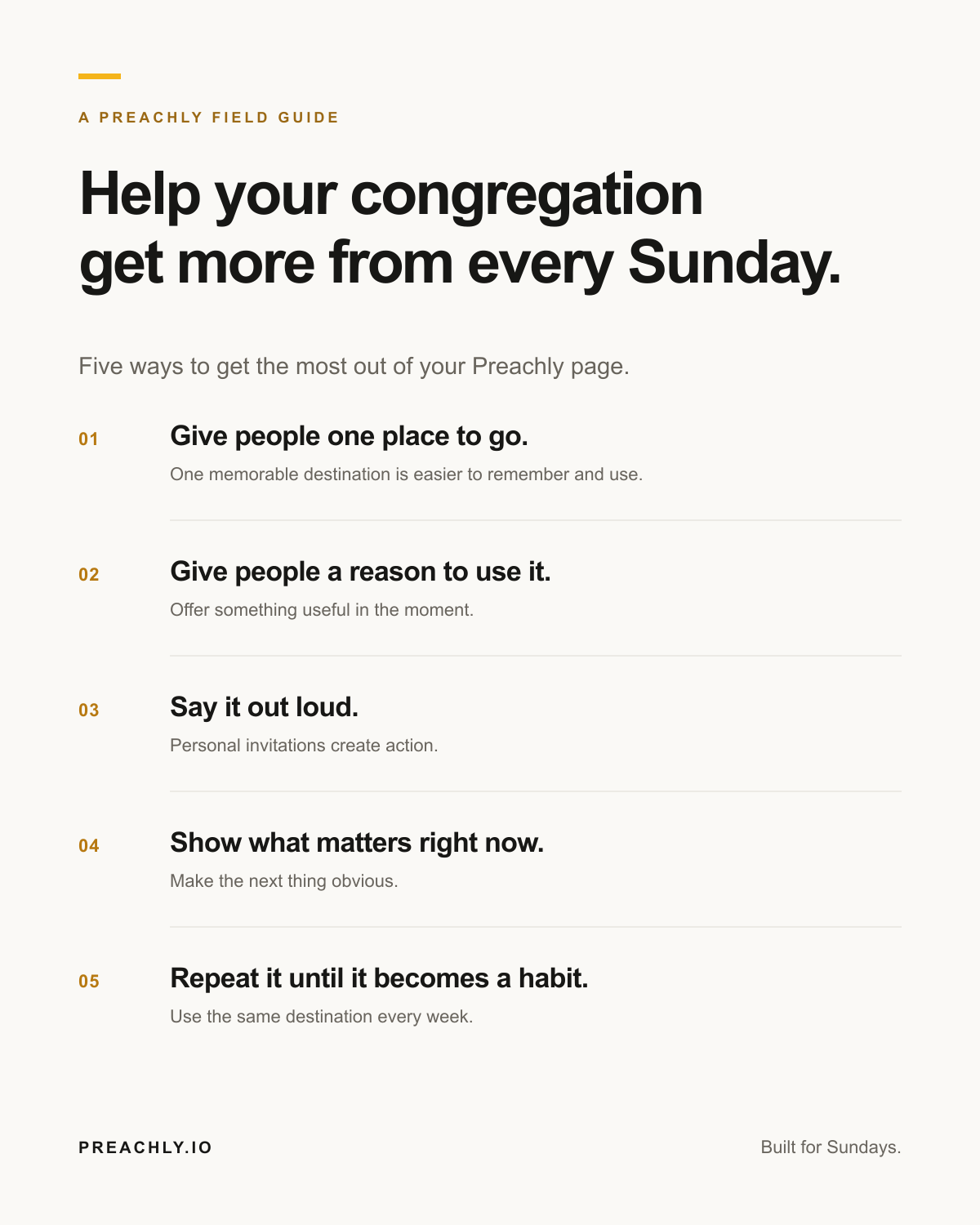
Take it with you
The five keys, on one page.
Share the condensed guide with your team or keep it nearby while you plan Sunday.
Download the graphicStart with one change this Sunday.
Give people one place to go, put the most useful thing there, and mention it clearly. Then do it again next week. Preachly gives you the destination. These habits are what make it work.