
PREACHLY TOUCHPOINTS · CHURCH NFC TAP TAGS
Your church page.
One tap away.
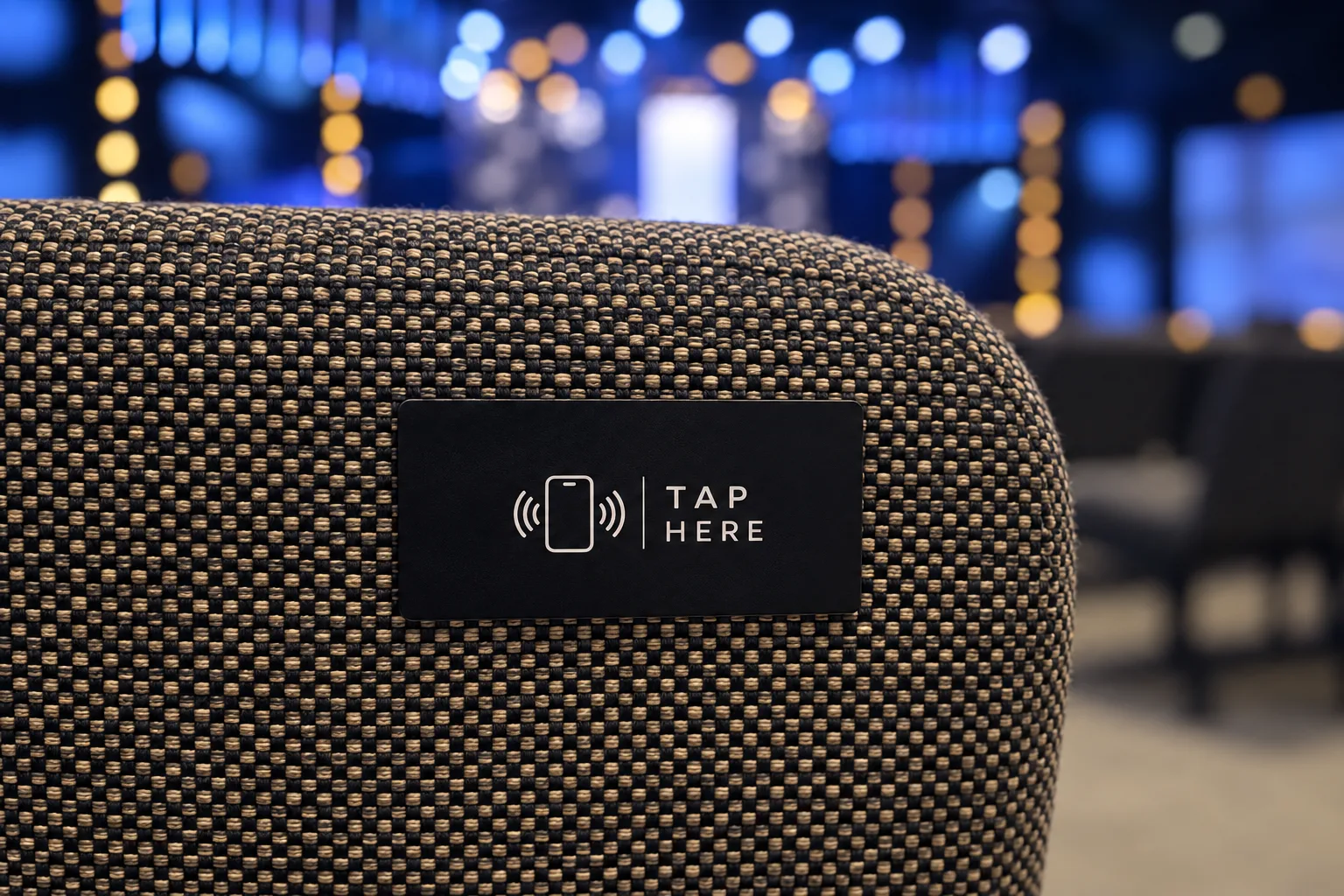
Tap tags for your seats, pews, and welcome desk—programmed for your church by Preachly.
Explore the 25-free-tag offer with a qualifying paid Solo or Team plan. After your first plan payment clears, support emails you to confirm your church URL and shipping address. We handle programming and shipping.
See the tap-tag offerPaid plan required. Offer eligibility and dates apply. No tags ship during the free trial.
From paid plan to programmed tags.
- 1.
Choose your paid plan
See the current tap-tag offer and join a qualifying Solo or Team plan. Your first plan payment must clear before tags can be shipped.
- 2.
Watch for an email from support
A Preachly support specialist emails you after that first qualifying payment clears. Reply to confirm your custom church URL and shipping address. There is no separate request form.
- 3.
We program and send your tags
We program the tags by hand, tap-test them, and send them after your details are confirmed and any international postage is paid. We email you when they ship.
- 4.
Place them where people gather
Put your tap tags on seat backs, pews, or the welcome desk. Keep the same published URL as you update your church page.
US shipping is free. International shipping costs extra and must be paid before dispatch. See the offer page for rates and terms.
What does a tap do?
An NFC tag holds a link to your published church page. On a compatible NFC-enabled phone, hold the phone near the tag and open the link notification. Your people can view the content you publish—service notes, announcements, giving, and more—in their browser.
Seat backs and pews
Keep your church page within reach during the service.
Welcome desk
Give guests a simple way to open your church page.
Alongside QR codes
Offer a camera-scan option as well as a tap.
Church tap-tag questions
What is a church NFC tap tag?
An NFC (Near Field Communication) tag stores a web link. Hold a compatible NFC-enabled phone near it, then open the link notification to visit your church page. Phone settings and compatibility vary.
How do I get the included 25 tap tags?
Join a qualifying paid Solo or Team plan under the current tap-tag offer. After your first plan payment clears, a Preachly support specialist emails you to confirm your custom church URL and shipping address. No tag request form or additional tag purchase is required. See the offer page for eligibility and dates.
When are my tags programmed and shipped?
After your first qualifying plan payment clears and you confirm your church URL and shipping details with support, Preachly programs and tap-tests your tags before sending them. No tags ship during the free trial. US shipping is free; international postage must also be paid before dispatch.
Do I program the included tags myself?
No. Preachly programs the included tags for you after confirming your church URL. You do not need to buy blank stickers or install a tag-writing app.
Can I buy additional tags or track a shipment?
Yes. Your tap-tag account page is for additional tag purchases and shipment tracking. It does not start your included set; that process begins with support’s email after your first qualifying payment clears.
Can we use NFC tap tags and QR codes together?
Yes. NFC tags let people tap a compatible phone at a seat or welcome desk. QR codes let people scan with their camera, including from a screen. Both can point to your published church page.
Ready to bring tap tags to your church?
Choose a qualifying paid plan through the offer page. After your first payment clears, our support team takes it from there with you.
See the tap-tag offerNeed extras or shipment tracking? Visit your tap-tag account page.